- AI Agents
- Automation
- AI
- Machine Learning
- Operations
- Business
10 Business Processes You Can Automate with AI Agents
October 11, 2026 · 10 min read · Talha Arshad
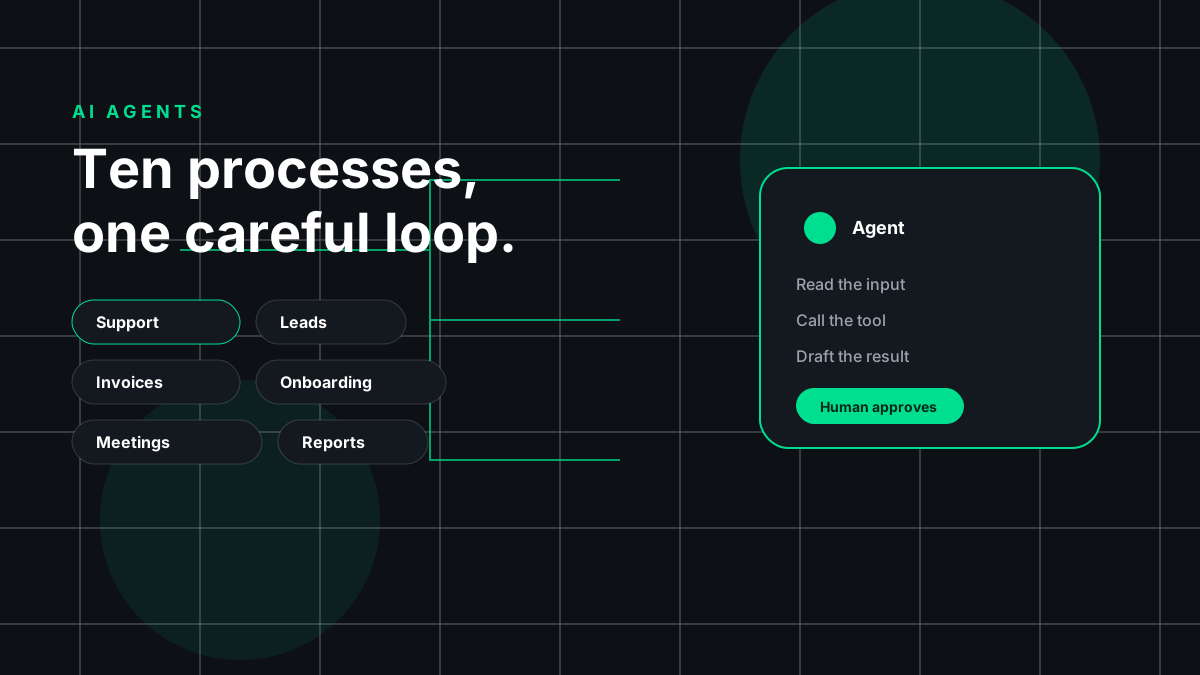
Most conversations about AI agents start with a demo and end with a question: "Okay, but what would I actually use this for?" That is the right question. An agent is only useful when it takes a real, repetitive process off someone's plate without creating new mess.
In this post I'll walk through ten business processes where I think agents earn their keep today. For each one I'll cover what the agent does, a concrete example workflow, the tools it usually connects to, and where a human should stay in the loop. After that, I'll share a simple way to pick your first process and the guardrails I'd put in place before going live.
A quick definition so we're on the same page: by "AI agent" I mean a system that uses a language model to read inputs, decide on next steps, and call tools (an API, a database, a ticketing system) to get work done. It is not magic. It is software with a model in the middle, and it needs the same care as any other software you put into production.
1. Customer Support Triage
What the agent does: Reads incoming support messages, figures out what the customer needs, tags and routes the ticket, and drafts a first reply for common questions.
Example workflow: A customer emails saying their order arrived damaged. The agent classifies it as a "damaged item" request, pulls the order details from your store, checks the return policy, and drafts a reply with the next steps. It sets priority based on the customer's tone and order value, then places it in the right queue.
Typical tools: Help desk platforms, your e-commerce or billing system, a knowledge base, and chat widgets.
Human in the loop: Agents should draft, not send, for anything involving refunds, legal complaints, or upset customers. Start with drafts for everything, then allow auto-replies only for low-risk categories once you trust the output.
2. Lead Qualification
What the agent does: Looks at new leads, enriches them with public information, scores them against your ideal customer profile, and books the good ones with sales.
Example workflow: Someone fills out your contact form. The agent reads the message, looks up the company website, notes the industry and team size, and compares this against your criteria. Strong fits get a personalized follow-up email and a calendar link. Weak fits get a polite nurture email. Everything is logged in your CRM with a short summary of why.
Typical tools: CRM, form tools, email, calendar scheduling, and web search or enrichment services.
Human in the loop: A salesperson should review the scoring logic regularly and spot-check borderline leads. Never let an agent make pricing promises or commitments on its own.
3. Invoice and Accounts Payable Processing
What the agent does: Pulls invoices from email or a shared folder, extracts the key fields, matches them against purchase orders, and prepares them for approval.
Example workflow: A vendor emails a PDF invoice. The agent extracts the vendor name, invoice number, line items, totals, and due date. It matches the invoice against the purchase order and the delivery record. If everything lines up, it creates a draft bill in your accounting software and sends it to the approver. If something doesn't match, it flags the difference with a clear note.
Typical tools: Email, accounting software, document storage, and your purchasing system.
Human in the loop: Payments must always need human approval. The agent prepares; a person signs off. Also watch for duplicate invoices and changed bank details, which are classic fraud signals.
4. Employee Onboarding
What the agent does: Coordinates the many small tasks that happen when someone new joins: accounts, documents, equipment, intro meetings, and first-week guidance.
Example workflow: HR marks a new hire as "signed" in the HR system. The agent creates a checklist, opens IT tickets for laptop and account setup, sends the welcome packet, schedules intro meetings with the team, and answers the new hire's common questions ("Where do I find the expense policy?") from your internal docs.
Typical tools: HR systems, identity and access management, ticketing tools, calendar, chat, and your internal wiki.
Human in the loop: Access permissions should be approved by a manager or IT, not granted automatically. And a real person should still do the welcome. The agent handles logistics so people can focus on the human part.
5. Meeting Notes and Follow-Ups
What the agent does: Turns meeting recordings or transcripts into clear summaries, decisions, and action items, then follows up on them.
Example workflow: After a project call, the agent reads the transcript, writes a short summary, lists decisions and owners, and creates tasks in your project tool. It drafts a follow-up email to attendees. A few days later, it checks which tasks are still open and nudges the owners.
Typical tools: Video meeting platforms, transcription tools, project management tools, email, and chat.
Human in the loop: The meeting owner should review the summary before it goes out. Models can misattribute who said what or miss nuance, and a wrong action item sent to a client is awkward. Also make sure everyone knows the meeting is being recorded.
6. Report Generation
What the agent does: Pulls data from your systems, assembles a recurring report, and writes a plain-language summary of what changed and why it might matter.
Example workflow: Every Monday, the agent queries your sales database and analytics, builds a weekly report, compares it to the previous week, and writes a short narrative: what went up, what went down, and what looks unusual. It posts the report in a team channel and attaches the underlying data.
Typical tools: Databases, BI and analytics tools, spreadsheets, and chat or email for delivery.
Human in the loop: Let the agent run queries through tested, read-only access, and have an analyst own the definitions of key metrics. The narrative is a starting point. A person should check any claims before they go to leadership or clients.
7. Inbox and Email Triage
What the agent does: Sorts a busy inbox, labels messages by urgency and topic, summarizes long threads, and drafts replies to routine emails.
Example workflow: Each morning, the agent goes through overnight email. It labels invoices, meeting requests, customer questions, and newsletters. It sends you a short digest: "three things need you today, here's why." For routine requests, like scheduling, it drafts replies you can approve with one click.
Typical tools: Email clients, calendar, contacts, and your task manager.
Human in the loop: Keep sending in human hands at first. Email is high-stakes because it goes out under your name and can't be taken back. Be especially careful with emails that contain instructions; an agent should never follow commands that arrive inside an email from a stranger.
8. Document Review and Data Extraction
What the agent does: Reads contracts, forms, applications, or reports, pulls out structured data, and flags clauses or fields that need attention.
Example workflow: Your team receives vendor contracts. The agent extracts the parties, term, renewal date, payment terms, and termination clauses into a spreadsheet. It compares them against your standard terms and highlights anything unusual, like an auto-renewal or an uncapped liability clause, for review.
Typical tools: Document storage, OCR for scanned files, contract management tools, and spreadsheets or databases.
Human in the loop: The agent is a first-pass reviewer, not your lawyer. Have a qualified person review anything flagged, and spot-check items that were not flagged too. Ask the agent to quote the exact source text for every extracted field so reviewers can verify quickly.
9. IT Helpdesk Tickets
What the agent does: Answers common IT questions, walks people through fixes, and handles simple, well-defined requests end to end.
Example workflow: An employee messages, "I'm locked out of my account." The agent verifies identity through your approved process, triggers a password reset flow, and confirms it worked. For "my laptop is slow," it walks through basic checks and, if they don't help, opens a ticket with the details already filled in.
Typical tools: IT service management platforms, identity providers, device management tools, chat, and an internal knowledge base.
Human in the loop: Anything that changes access, security settings, or company devices should go through an IT person or a tightly limited, pre-approved action. Identity checks matter here, because a helpdesk agent is an obvious target for social engineering.
10. Content and Social Scheduling
What the agent does: Helps plan, draft, repurpose, and schedule content across channels based on a content calendar.
Example workflow: You publish a blog post. The agent creates a short LinkedIn summary, a few social post options, and a newsletter blurb, each matched to your brand voice guide. It suggests posting times based on your calendar and queues the drafts for your review.
Typical tools: Your CMS, social scheduling tools, design tools, newsletter platforms, and a shared content calendar.
Human in the loop: A person should approve every public post. Check facts, links, and tone, and make sure nothing sounds generic or off-brand. Your audience can tell when content has no real person behind it.
How to Choose Your First Process
You don't need to automate everything. Pick one process, do it well, and learn from it. Here's a simple scoring idea I use: rate each candidate process from 1 to 5 on five questions.
- Volume: How often does it happen? Frequent tasks pay off faster.
- Repetition: Does it follow roughly the same steps each time?
- Clear inputs and outputs: Can you describe what goes in and what "done" looks like?
- Low cost of mistakes: If the agent gets it wrong, is it easy to catch and fix?
- Tool access: Do the systems involved have APIs or integrations the agent can use?
Add up the scores. The highest total is usually a good first project. In my experience, triage and summarization tasks (support triage, inbox triage, meeting notes) often score well because the agent drafts and a human decides. Processes that move money or change access usually score lower on "cost of mistakes," so save them for later, once you have monitoring and approvals in place.
Before you build, write down how the process works today and how you'll measure success. Time saved, response speed, and error rate are good starting points. Without a baseline, you won't know if the agent is actually helping.
Risks and Guardrails
Agents are powerful because they can take actions. That's also what makes them risky. These are the guardrails I'd put in place before going live:
- Least privilege: Give the agent only the access it needs. Read-only where possible, narrow write permissions where not.
- Human approval for high-impact actions: Payments, external emails, access changes, deletions, and public posts should need a person to approve.
- Treat inputs as untrusted: Emails, documents, and web pages can contain hidden instructions (this is known as prompt injection). The agent should treat that content as data, never as commands.
- Logging and audit trails: Record what the agent saw, what it decided, and what it did. When something goes wrong, you'll need to know why.
- Start in "shadow mode": Run the agent alongside your current process, compare its output to what people do, and only switch over when it's reliably good.
- Clear escalation paths: When the agent is unsure, it should say so and hand off to a person, rather than guess.
- Data privacy: Know where your data goes, which providers process it, and what your customers and laws expect. Don't send sensitive data to tools you haven't vetted.
- Regular review: Models, prompts, and business rules change. Check the agent's output on a schedule, not just at launch.
None of this is exotic. It's the same discipline you'd apply to any system that touches customers, money, or data.
Conclusion
AI agents are most useful when they take on the boring, repetitive parts of real work and leave the judgment calls to people. Start with one process that's frequent, well-defined, and low-risk. Keep a human in the loop where it matters, measure the results, and expand from there.
If you're thinking about where agents could fit in your business, or you've already tried one and hit a wall, I'd love to hear about it. Leave a comment or reach out to me directly. I'm always happy to talk through practical use cases.
Work together
Want this built for your business?
Tell me which process you want an agent to take on. I work remotely, worldwide.
Start a project